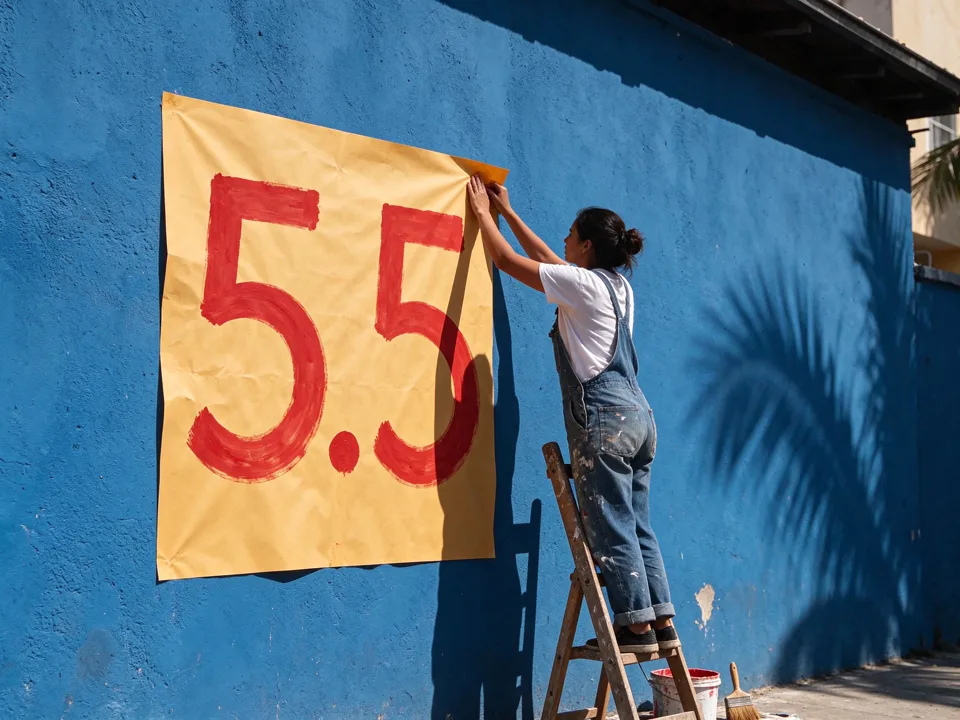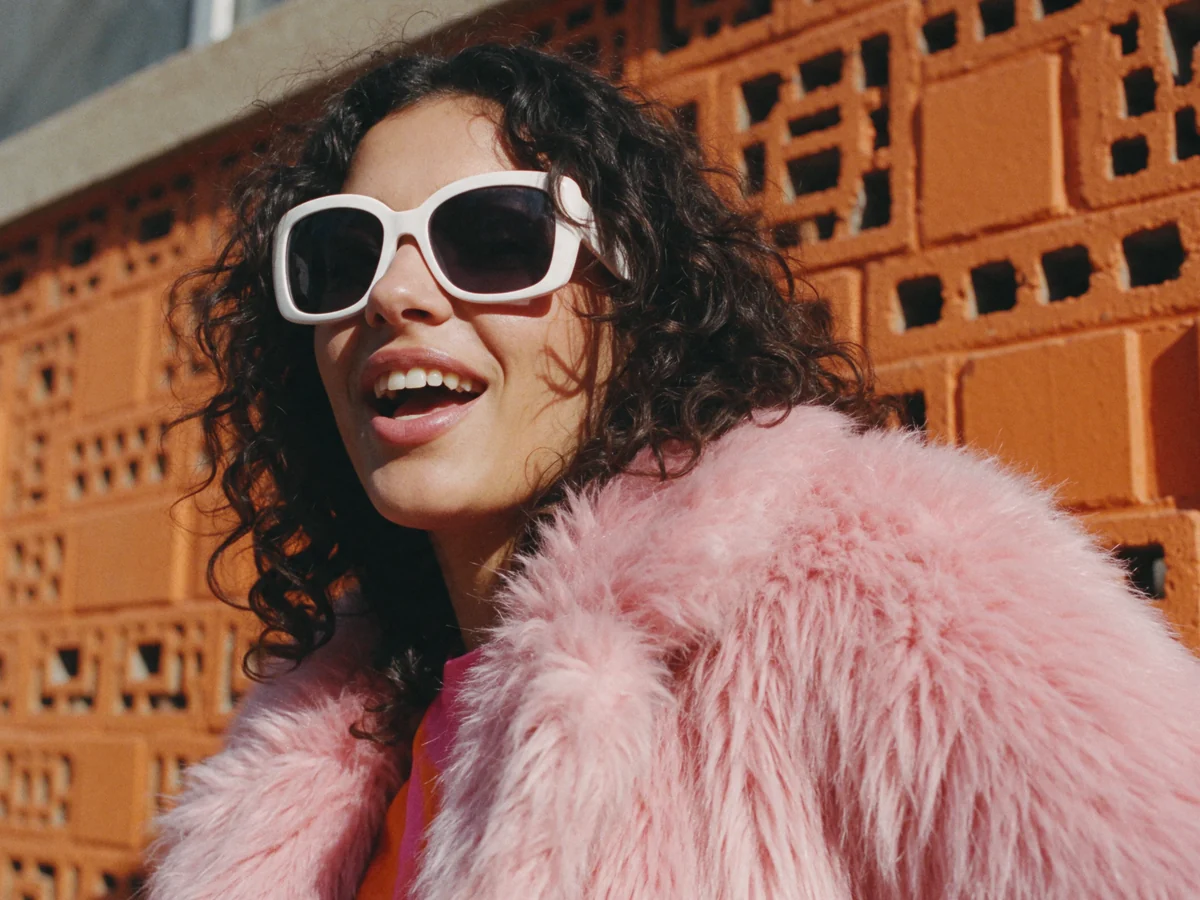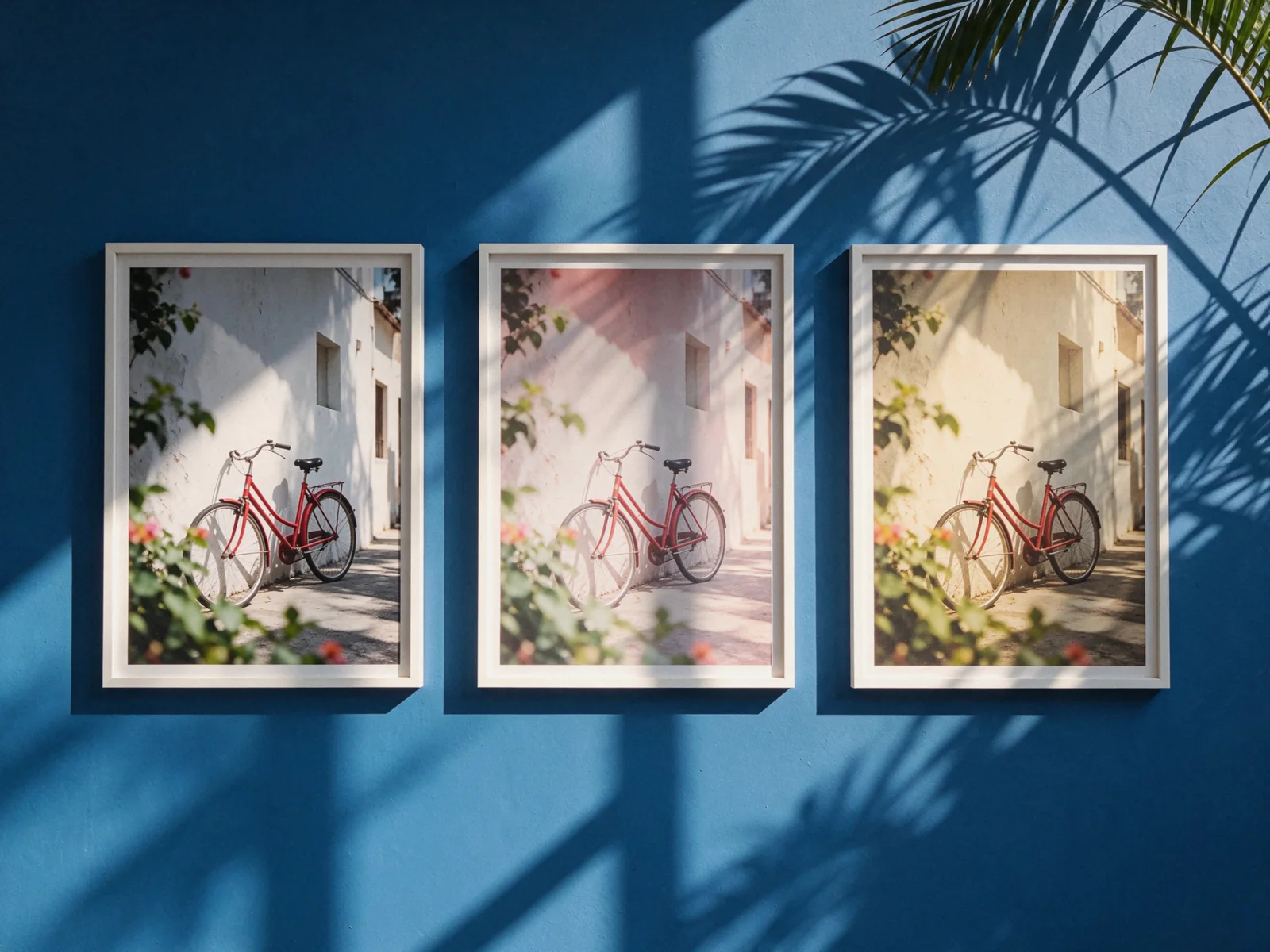
The best AI image generator depends on what you need to finish. For images that become video, ChatCut brings Seedream 5.5, GPT Image 2.6, Nano Banana 2.1 and Nano Banana Pro into one editor, with generated images ready for the timeline. For concept art, text-led graphics and finished social layouts, our workflow picks are Midjourney, Ideogram and Canva respectively.
Key Takeaways
- For photo briefs, shortlist Seedream 5.5 and GPT Image 2.6, then inspect skin, hands, lighting and material detail in the same scene.
- For posters and structured graphics, consider GPT Image 2.6 Sunburst, Nano Banana Pro and Ideogram. Read every requested word before approving an image.
- For everyday generation and edits, Nano Banana 2.1 is Google’s price-performance option. Nano Banana Pro is a separate model for demanding visual work.
- For video production, ChatCut lets you compare several leading models, generate the still and continue with image-to-video, captions, voiceover and music in the same project.
- Comparison scope — the four prompts below were run in ChatCut on Seedream 5.5, GPT Image 2.6 Sunburst, Nano Banana 2.1 and Nano Banana Pro, and every output has been visually reviewed. The six additional tools are assessed from public documentation and prices.
Best AI image generator picks by use case
These are use-case recommendations. The table combines individual models with the applications where people use image generation. All prices were checked on November 12, 2026, in USD before applicable taxes. Subscription amounts use monthly billing unless an annual charge is explicitly shown. Each priced row links to its source.
| Pick | Choose it for | Access and price reference | Evidence for this article |
|---|---|---|---|
| Seedream 5.5 | Realistic-photo briefs and iterative image work | Available in ChatCut. Select the model and review the credit estimate for your chosen settings before generating. | Official capabilities and four visually reviewed outputs |
| GPT Image 2.6 Sunburst | Text-heavy layouts, product assets and careful revisions | ChatCut Pro and credits. Current estimate depends on settings. Model and access details | Repository parameters and four visually reviewed outputs |
| Nano Banana 2.1 | Everyday generation and conversational image editing | ChatCut Pro and credits, with an estimate before submission. Plan details | Repository parameters, Google documentation and four visually reviewed outputs |
| Nano Banana Pro | Detailed compositions and reference-led visual work | ChatCut Pro and credits. Select Nano Banana Pro explicitly. Plan details | Repository model mapping, Google documentation and four visually reviewed outputs |
| Midjourney | Art direction, concept art and style exploration | Basic $10/month, including 200 Fast GPU minutes. Plans | Public documentation, no generation test |
| Ideogram | Posters, lettering and graphics needing text revisions | Plus $20/month, or $180/year, with 2,400 priority credits/month. Pricing | Public documentation, no generation test |
| Adobe Firefly | Image work alongside Adobe editing tools | Free daily allowance. Standard $9.99/month with 2,000 monthly credits. US plans | Public documentation, no generation test |
| Leonardo.Ai | Model exploration, reference-guided assets and custom styles | Free 150 tokens/day. Essential $12/month, 8,500 tokens/month. Pricing | Public documentation, no generation test |
| Canva | Images used immediately in slides and social layouts | Limited Free AI access. Pro $144/year for one person. Pricing | Public documentation, no generation test |
| Recraft | Editable vectors and coordinated design assets | Limited Free Studio access for personal use. V4.1 Vector API $0.08/image, billed separately from Studio. API rates | Public documentation, no generation test |
For the four ChatCut models, the entry paid plan is $25/month with 100 monthly credits, or $252 billed annually. Image generation requires Pro and uses credits. Each model has its own charge, so budget from the editor’s estimate for the selected settings. ChatCut pricing, product facts.
Seedream 5.5 for realistic-photo briefs and continued editing
Seedream 5.5 is available in ChatCut. ByteDance introduced it on November 9, 2026, highlighting natural lighting, material detail, skin texture, repeated editing and native alpha-channel generation. Those capabilities make it worth shortlisting for portrait and product briefs. Our portrait and glass-bottle prompts below give you specific details to inspect. ByteDance announcement.
Pick Seedream 5.5 in the model menu, then review the available size and aspect-ratio options and the credit estimate before generating. For transparent assets, check the available background controls in that workflow before submitting.
Read the Seedream 5.5 introduction for the release and starting workflow, the Seedream family guide for version context, and the 5.5 versus 5.0 Pro comparison when updating an existing workflow.
GPT Image 2.6 Sunburst for layouts and product assets
Choose Sunburst when the brief depends on careful placement, packaging details or text. ChatCut also offers Flare for everyday drafts. This comparison fixes Sunburst across every prompt, so the GPT column always represents the same variant. ChatCut documents image generation, reference-based editing and transparent-image workflows on its model page. GPT Image 2.6 in ChatCut.
Start with the poster prompt if your deliverable has a headline, event information and an illustration sharing the frame. The GPT image prompt collection supplies more briefs. The older GPT Image 2 versus Nano Banana Pro article covers the earlier GPT version, so its scores apply to that version.
Nano Banana 2.1 for everyday generation and edits
Google positions Nano Banana 2.1 around a balance of price and performance, with image generation and multi-turn editing. It is a useful starting point for a varied production queue. In ChatCut, name the version explicitly and review the current estimate, especially when changing the planning complexity. Google model documentation.
The controlled comparison below uses high complexity throughout. For a real drafting session, choose the complexity appropriate to the brief and check the resulting quote. For reusable subject and lighting structures, see our Nano Banana prompts.
Nano Banana Pro for detailed visual composition
Nano Banana Pro is Google’s Gemini 3 Pro Image model. Google emphasizes text rendering, composition and combining visual references. Those documented capabilities make it a candidate for brand scenes, diagrams and complex layouts. ChatCut’s tool identifier is nano-banana. Google’s Nano Banana Pro introduction.
This article’s image set covers text-to-image generation. For reference-heavy work, try a separate brief using your actual product or character reference and inspect identity and geometry after each revision. Our Seedream, Nano Banana and GPT Image comparison covers the model-family decision in more depth.
Midjourney for concept art and visual direction
Midjourney is our workflow pick when you want to explore a campaign look, illustration style or mood. Its Style Reference controls transfer qualities such as palette, medium and lighting from a reference into a new scene. That gives art directors a concrete way to develop a visual direction. This entry uses public documentation and pricing. Style Reference documentation.
Basic starts at $10/month with 200 Fast GPU minutes. Image counts depend on the work submitted. Private Stealth Mode is available on Pro and Mega, so check the plan if privacy affects your project. Midjourney plans.
Ideogram for posters and text you expect to revise
Ideogram deserves a place on a poster shortlist because its workflow includes generation and editable text layers. You can detect lettering, adjust words and refine typography after the image exists. That is relevant when event details or campaign copy may change. This entry uses public documentation and pricing. Ideogram text layers.
Plus costs $20/month, with 2,400 priority credits/month and private generation. Annual billing is $180 upfront. Judge a typography tool by the complete deliverable, including spelling, line breaks and the ease of a late copy change. Ideogram pricing.
Adobe Firefly for Adobe-based image work
Firefly fits teams that already edit images with Adobe tools and want generation, local revisions and compositing close together. Its plans include image-editing workflows and access to Adobe and partner models. Check the actual selected model when comparing outputs. This entry uses public documentation and pricing. Firefly plans and workflows.
The US Standard plan is $9.99/month with 2,000 monthly credits. Free accounts receive limited daily generations. Adobe also displays introductory offers on higher plans, so the table uses Standard’s listed rate. US plan details.
Leonardo.Ai for reference-guided assets and model exploration
Leonardo.Ai suits creators who want to explore models, presets and custom visual assets in a dedicated workspace. Its Phoenix documentation describes separate style, content and character guidance, which helps make each reference’s role explicit. This entry uses public documentation and pricing. Phoenix image guidance.
Free accounts get 150 tokens/day, public creations and Auto model selection. Essential costs $12/month with 8,500 monthly tokens, private creations and broader model access. Token consumption varies with the generation settings, so use the quote for the model you actually select. Leonardo pricing.
Canva for images inside a finished layout
Canva is our workflow pick when the image belongs immediately in a presentation, flyer or social template. You can generate, adjust framing, add editable text and finish the design in the same workspace. This entry uses public documentation and pricing. Canva image generation.
The checked pricing page shows Pro at $144/year for one person and Free with limited AI access. AI consumption varies by tool and task. Compare the annual commitment and included allowance against what you already use Canva for. Canva pricing.
Recraft for editable vector assets
Recraft belongs on the shortlist when a logo, icon or illustration needs editable vector paths. Its V4.1 Vector models provide vector output that designers can reshape and recolor. This entry uses public documentation and pricing. Recraft V4.1 documentation.
The documented V4.1 Vector API rate is $0.08/image, with separate API billing. Free Studio images are public and licensed for personal use, while paid Studio plans grant commercial rights. Choose the billing route and usage rights appropriate to the asset. Vector API rates, Studio plans and rights.
How to compare the best AI image generator for your work
Start with a real deliverable and give each candidate the same brief. A portrait needs believable anatomy and skin. A product still needs coherent materials and geometry. A poster needs exact words and a readable hierarchy. A video first frame needs clear staging and enough room for the motion you plan.
The comparison setup
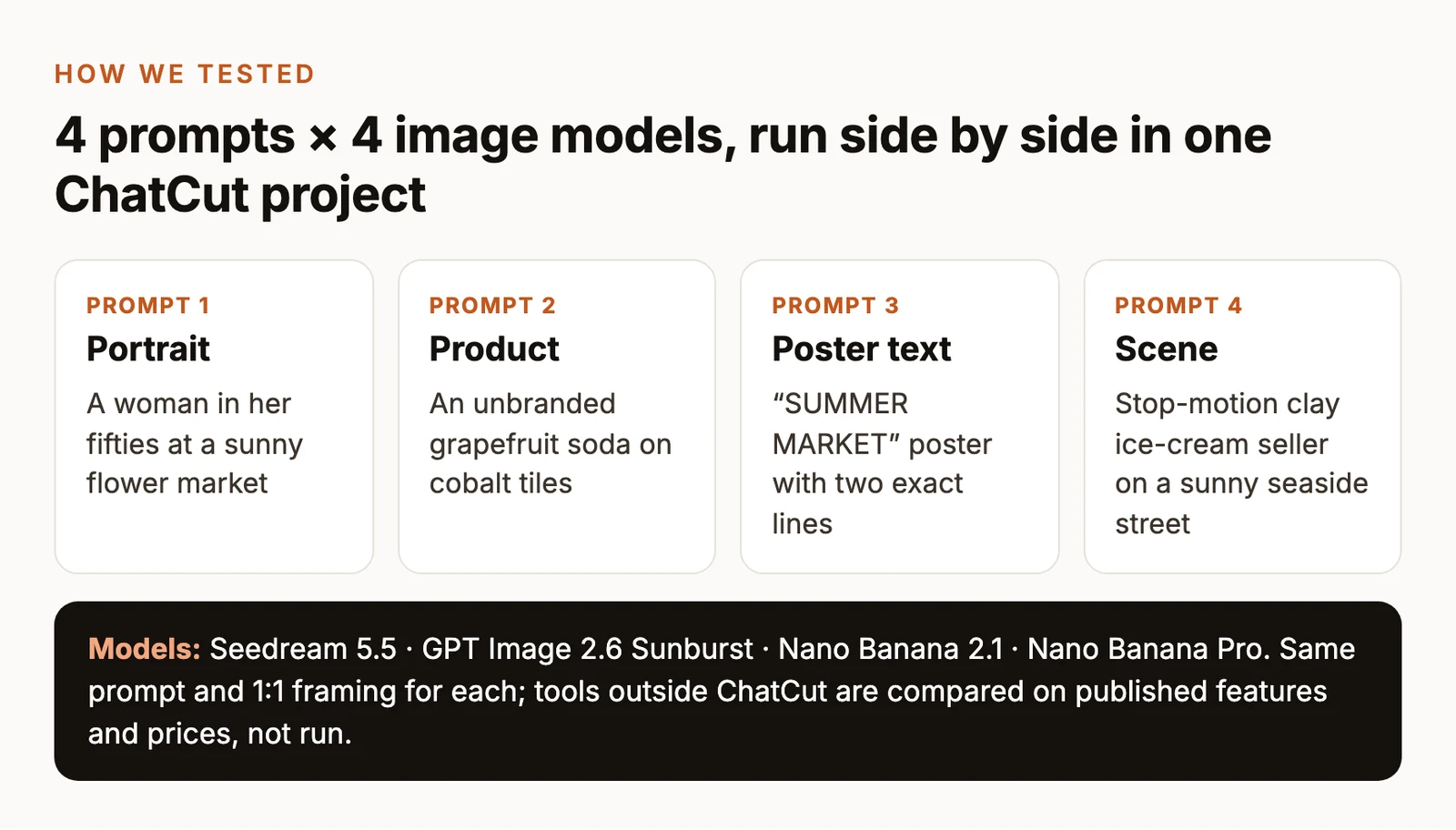
The table records the production protocol for the four prompts. All sixteen outputs below were generated in ChatCut and visually reviewed. Recommendations for the six external tools reflect documented workflows and capabilities.
| Control | Fixed comparison protocol |
|---|---|
| Models | Seedream 5.5, GPT Image 2.6 Sunburst, Nano Banana 2.1 and Nano Banana Pro in ChatCut, with every output visually reviewed |
| Prompts | P1–P4 below, copied verbatim into every model |
| Output target | 1K, square 1:1, target 1024 × 1024 pixels |
| Attempts | One output per prompt per model, retaining the first completed image |
| Input | Text only, with no reference images |
| Background intent | A complete scene with its background, recorded as auto in the image manifest |
| GPT-specific controls | Sunburst, high quality, high complexity, PNG output, background auto |
| Nano Banana 2.1 controls | High complexity. Use the model’s native background and output defaults |
| Nano Banana Pro controls | Native model defaults, with explicit 1K size and 1:1 ratio |
| Seedream 5.5 controls | 1K, 1:1 and background auto. Seedream 5.5 has no quality or complexity setting |
| Finishing | Preserve original output, with no retouching, generative upscale or selective rerolls |
The prompts and square framing are shared, but the displayed files are not pixel-matched: GPT outputs measure 1056 × 1056 pixels, while Seedream 5.5 and both Nano Banana models measure 1024 × 1024 pixels. A single output shows how that attempt handled the brief; repeated runs would be needed to estimate reliability.
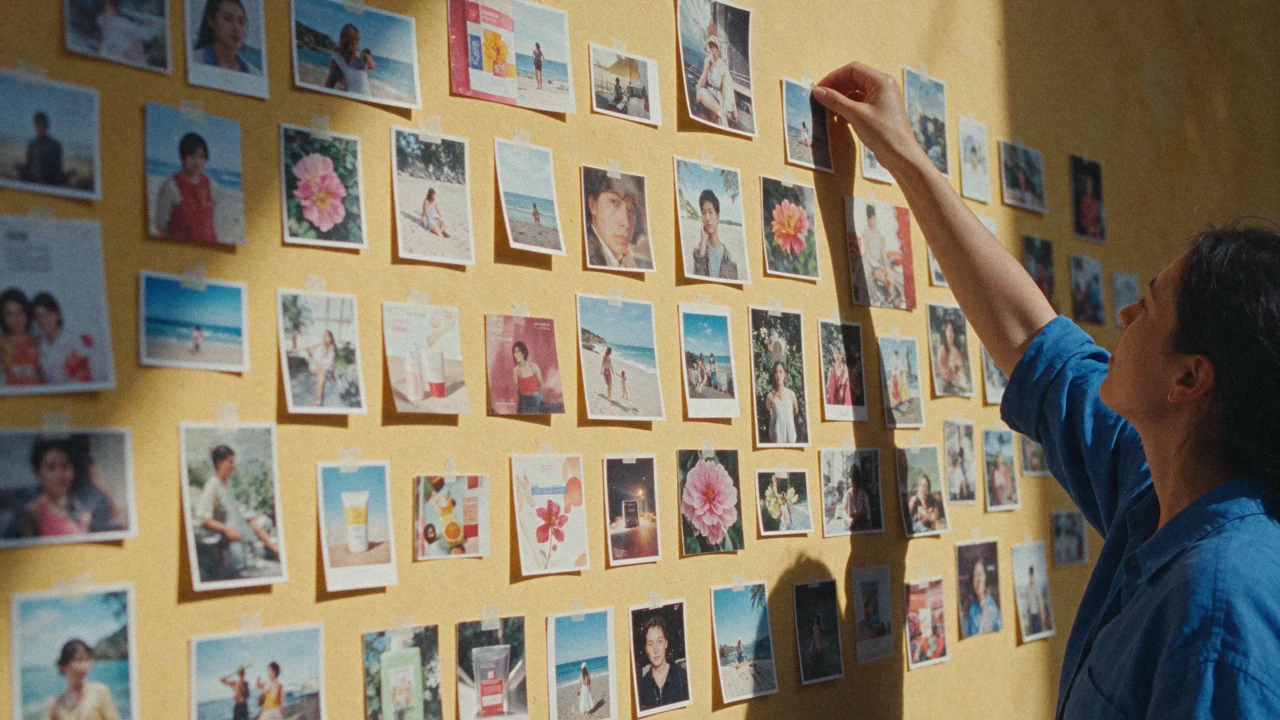
The cover is a separate Seedream 5.5 generation of a sunlit wall of photo prints and sits outside the comparison. The comparison’s figure captions identify the model behind each output. Original outputs should be retained when preparing the WebP display copies.
Four prompts for a best AI image generator comparison
P1 — Which is the most realistic AI image generator for portraits?
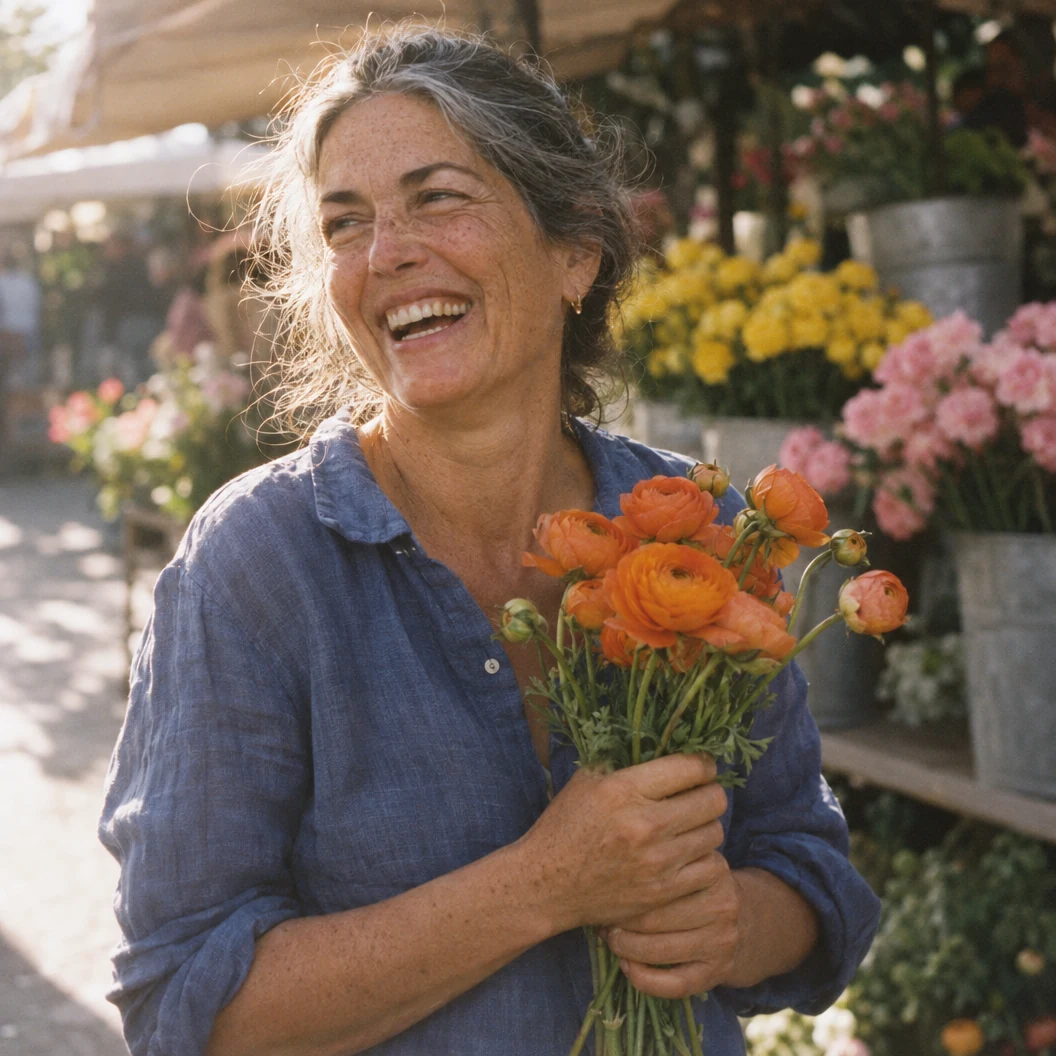
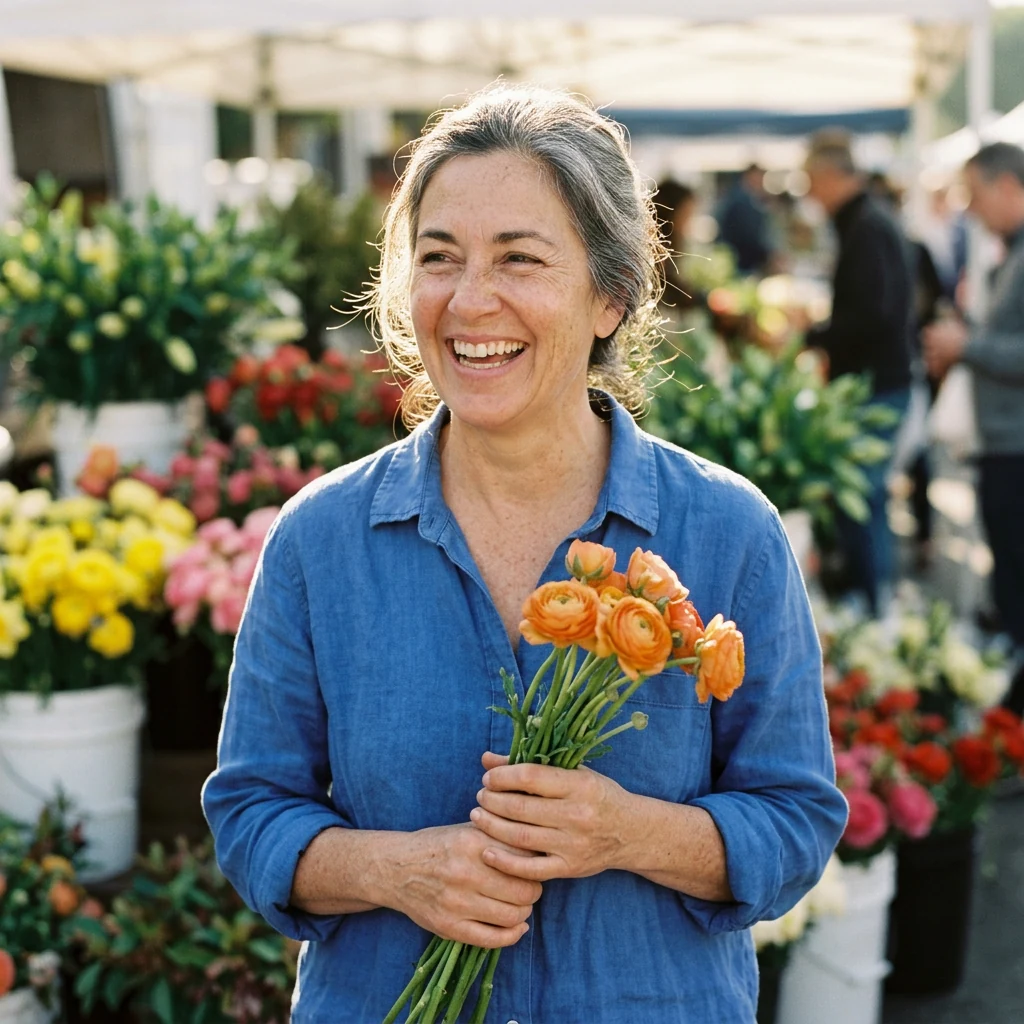
Use this scene to inspect the relationship between the face, hands, flowers and light. Look at how the fingers wrap the stems, skin texture and whether shadows share the same direction. The evaluation should name visible details in these particular outputs.
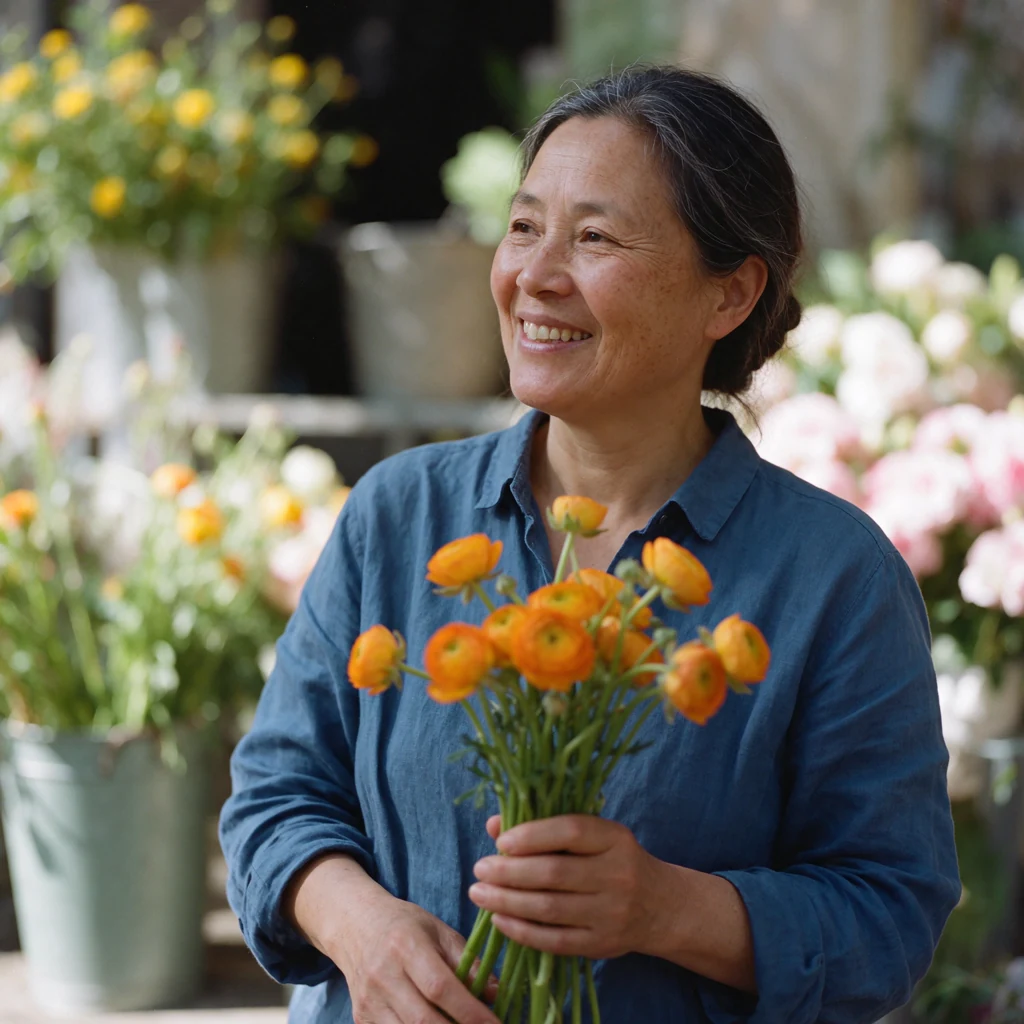
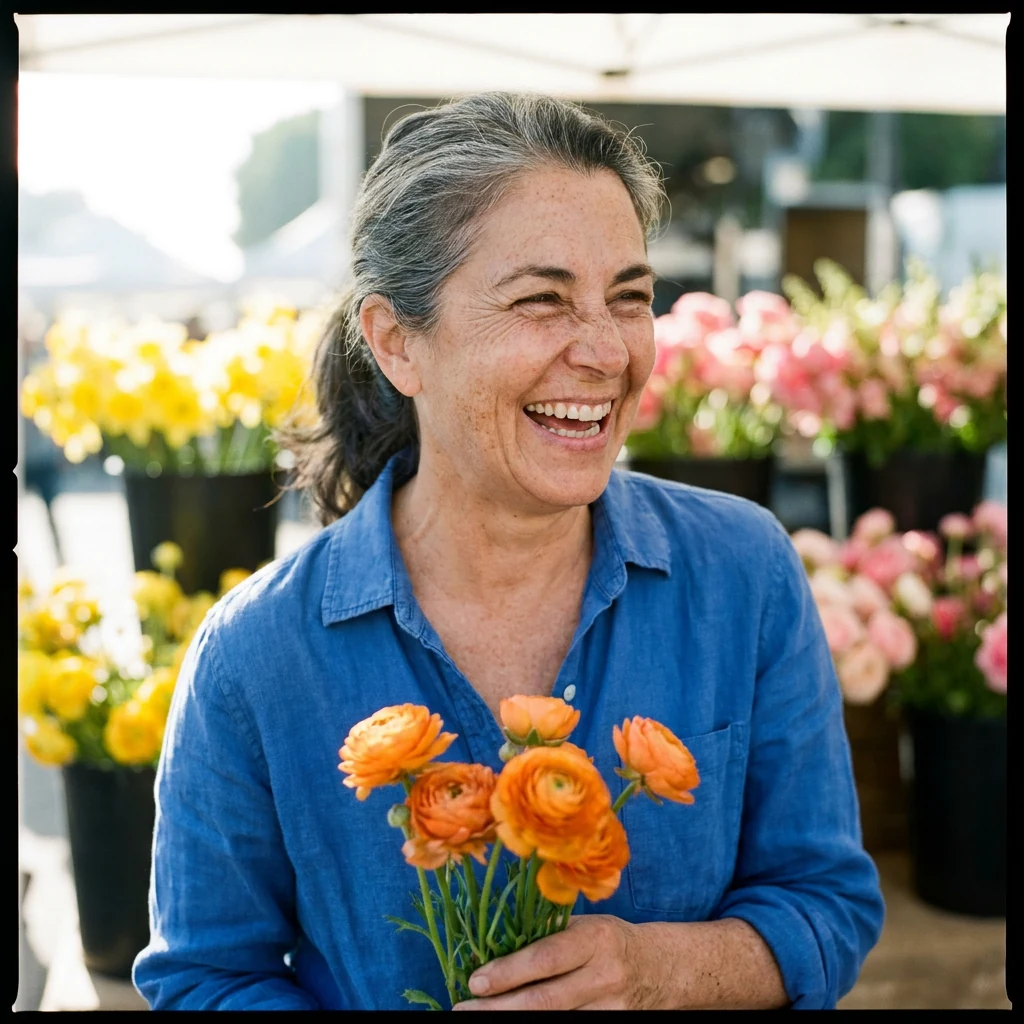
- Seedream 5.5: Seedream 5.5 shows her smiling and looking off to the side with her hair tied back, both hands holding the stems near her waist, faint freckles and soft, even light rather than hard sun.
- GPT Image 2.6 Sunburst: GPT Image 2.6 Sunburst gives the broadest laugh, loose gray-streaked hair lit from behind and the most visible freckles on her face and forearms, with both hands wrapped around the stems at chest height.
- Nano Banana 2.1: Nano Banana 2.1 frames her straight on with a wide laugh and both hands clasped around the stems, with shoppers visible among the stalls behind her.
- Nano Banana Pro: Nano Banana Pro shows deep smile lines and freckles in a squinting laugh, but it adds a black film border around the frame that the prompt did not ask for.
P2 — Product photography and believable materials
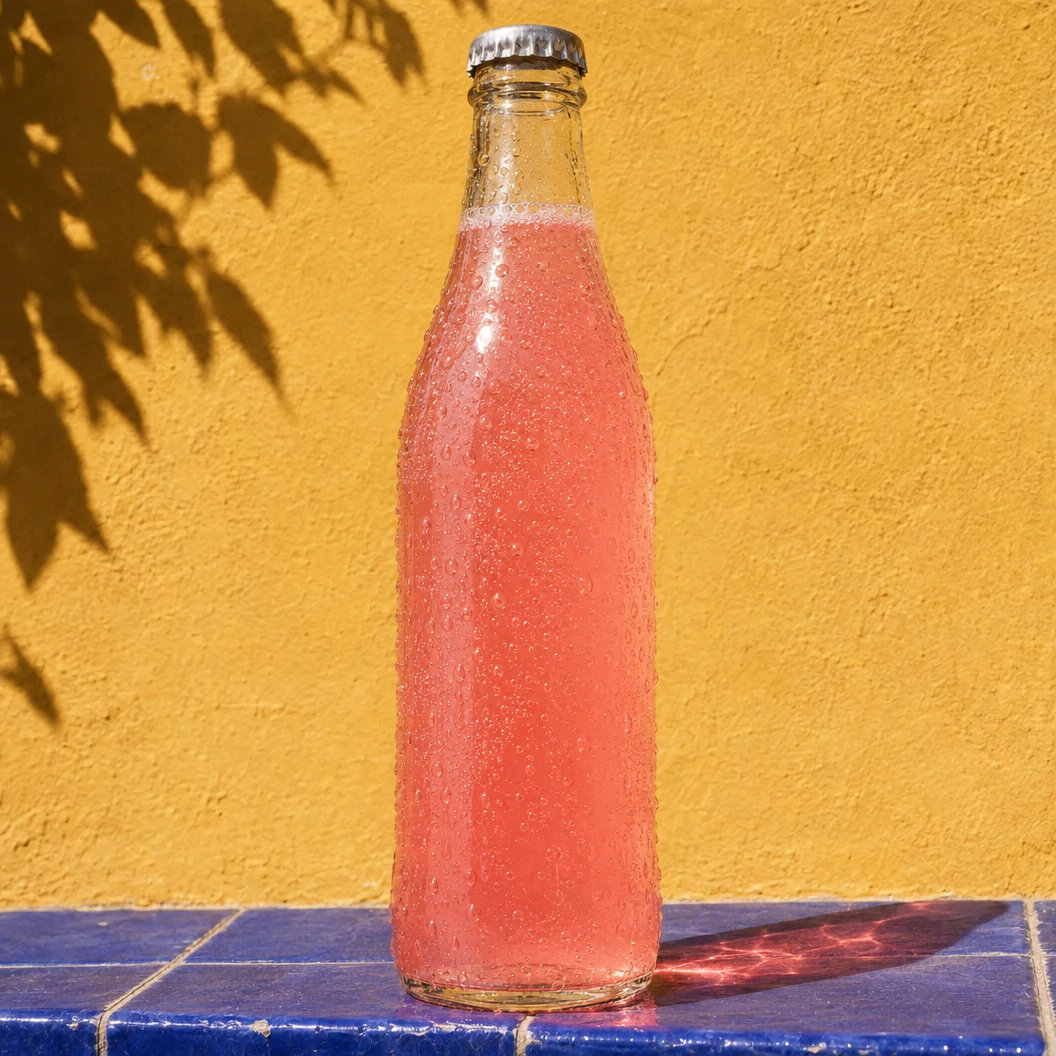
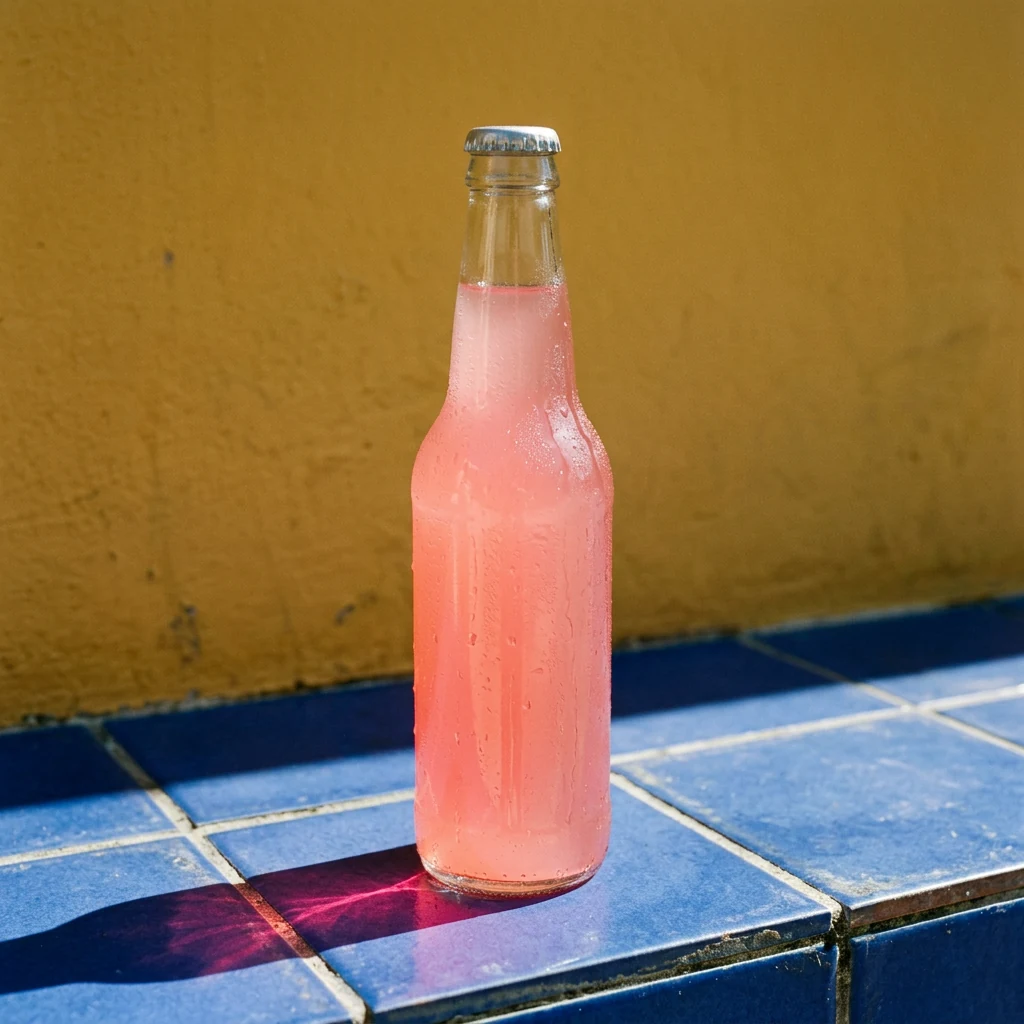
Glass gives you several concrete checks. Follow the cap’s outline, the refraction through the liquid, the bottle’s contact with the tiles and the coloured light it throws. This brief uses an invented, unbranded product. Reference-based preservation needs its own test.
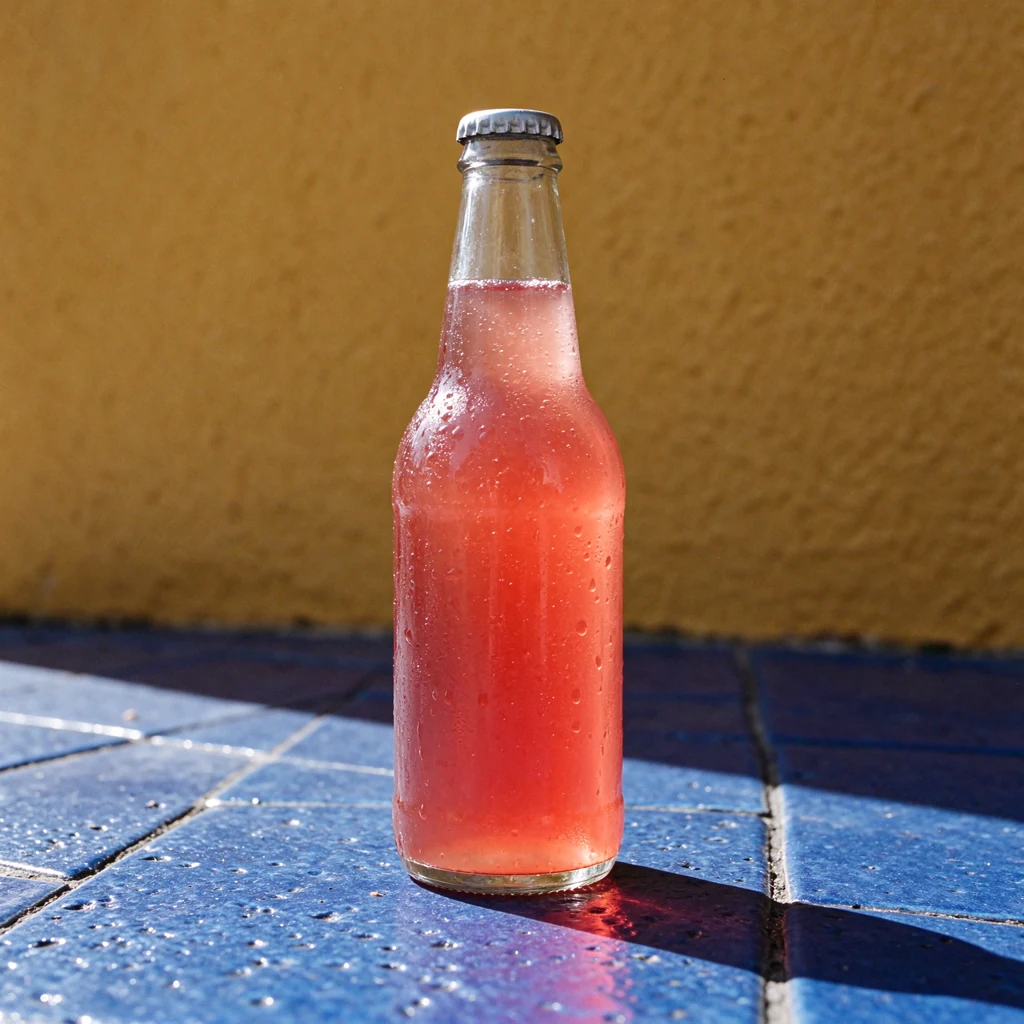
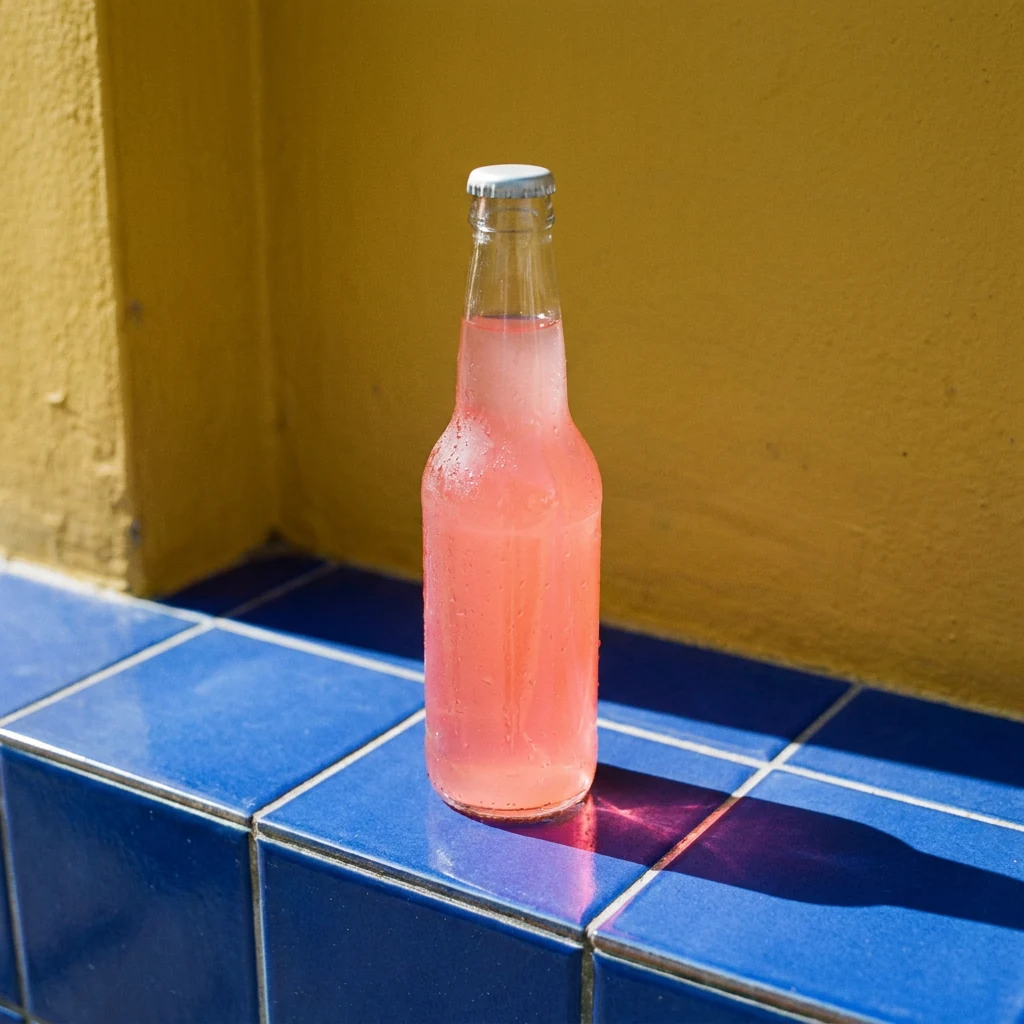
- Seedream 5.5: Seedream 5.5 keeps the complete bottle with clear space above the cap, fine droplets on the glass and on the surrounding tiles, and only a faint pink tint in the shadow.
- GPT Image 2.6 Sunburst: GPT Image 2.6 Sunburst makes the bottle fill nearly the full height, leaving little space above the cap, and adds a leaf shadow on the wall plus the strongest pink caustic across the tiles.
- Nano Banana 2.1: Nano Banana 2.1 shows a frosted, condensation-covered bottle with a pink caustic pooled at its base and crisp tile grout lines, seen from a slightly higher viewpoint.
- Nano Banana Pro: Nano Banana Pro places a smaller bottle on the corner of a tiled ledge with a pink caustic beside it, using a higher viewpoint than the requested low camera angle.
P3 — Exact text and a usable poster layout
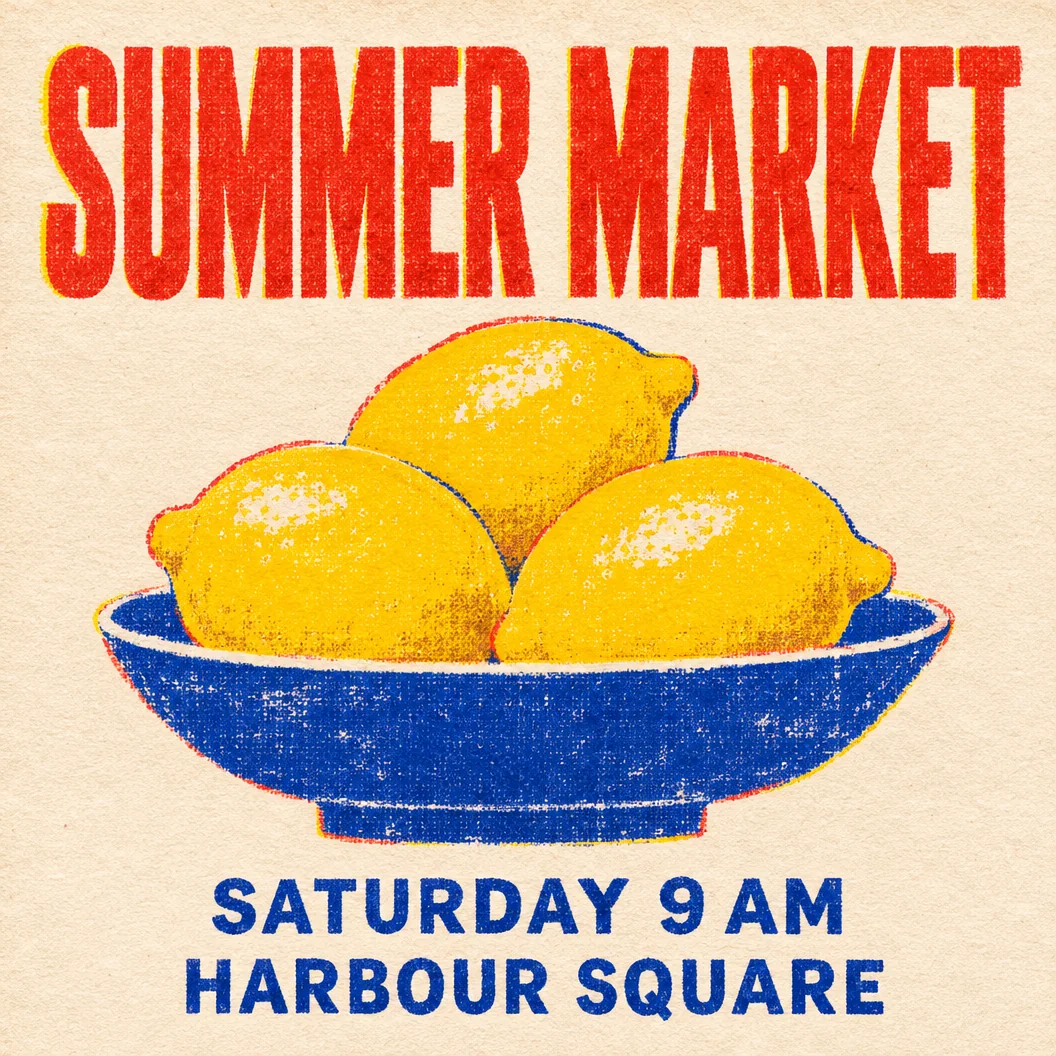
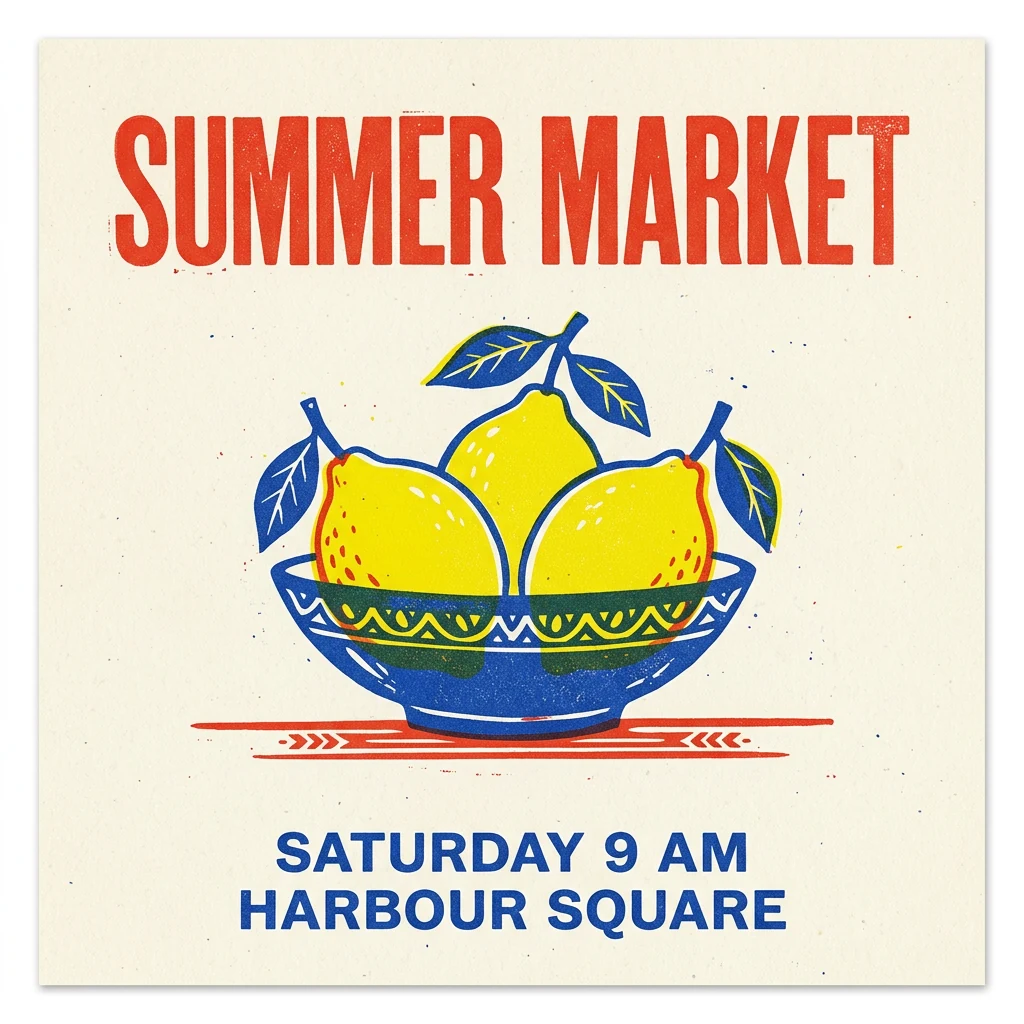
Compare all three phrases character by character. Then count the lemons and inspect the poster at thumbnail size. A readable headline, correctly separated information lines and clear margins each affect whether the graphic is ready to use.
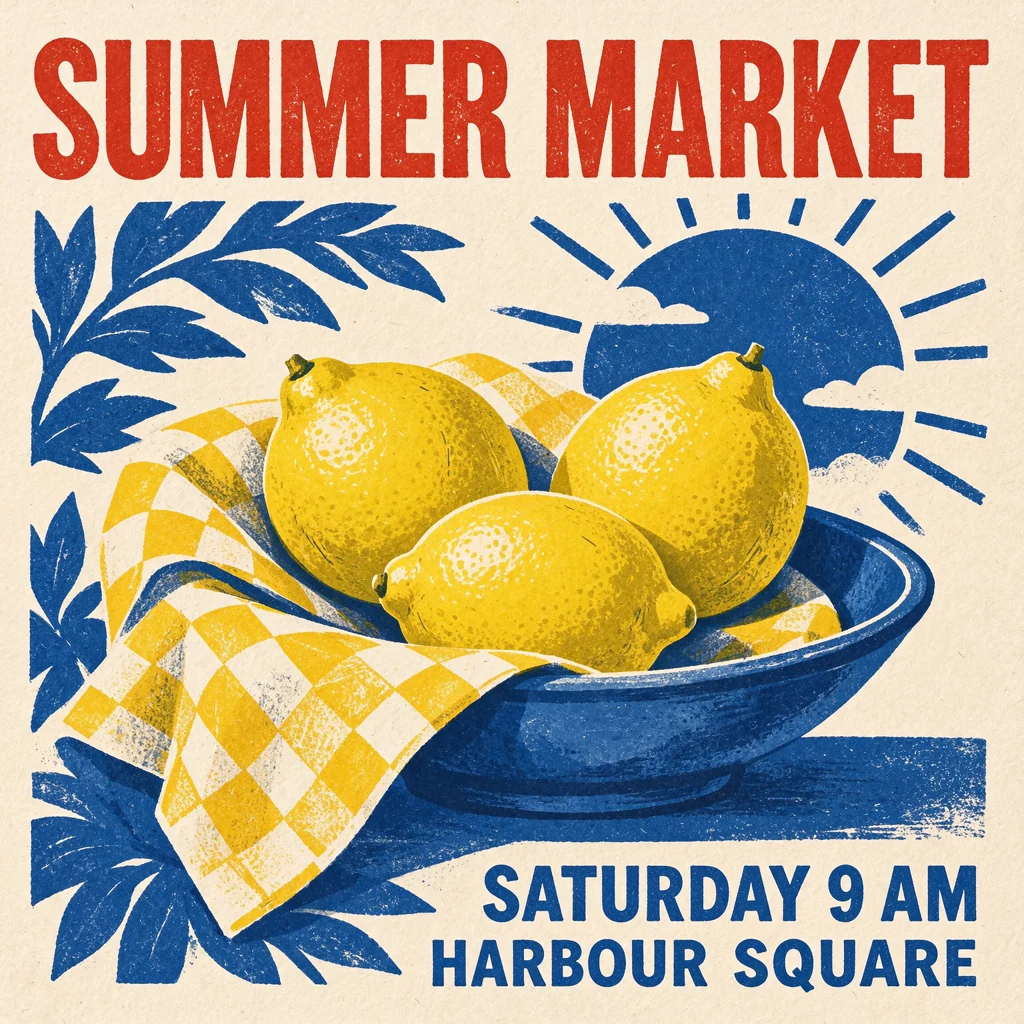
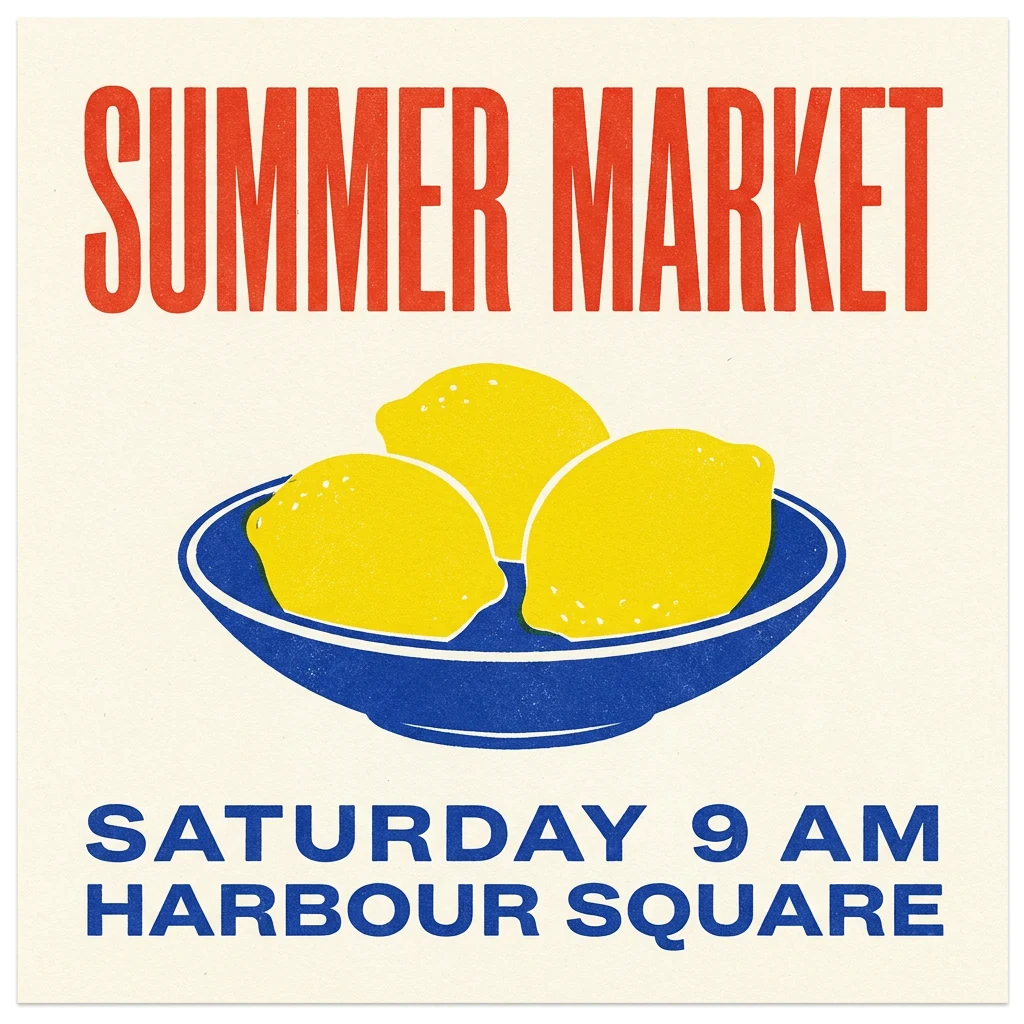
- Seedream 5.5: Seedream 5.5 spells SUMMER MARKET, SATURDAY 9 AM and HARBOUR SQUARE correctly and shows exactly three lemons, but adds a checked cloth, leaves and a sun motif, and sets the two information lines to the right.
- GPT Image 2.6 Sunburst: GPT Image 2.6 Sunburst renders all three phrases correctly, with exactly three lemons in a shallow bowl, a headline spanning the full width and visible red-and-yellow misregistration around the shapes.
- Nano Banana 2.1: Nano Banana 2.1 preserves all three phrases and exactly three lemons, leaving generous cream margins, though it adds leaves and a red rule and its patterned bowl is deeper than the requested shallow bowl.
- Nano Banana Pro: Nano Banana Pro preserves all three phrases and exactly three lemons in a shallow bowl, with flat shapes, a very tall headline and the information lines set large along the bottom.
P4 — Complex composition and a video-ready still
Check the ice-cream seller in the center, bicycle on the left, post box on the right and the requested window count. Also inspect the material treatment. A coherent handmade miniature look should carry through the person, building and props.
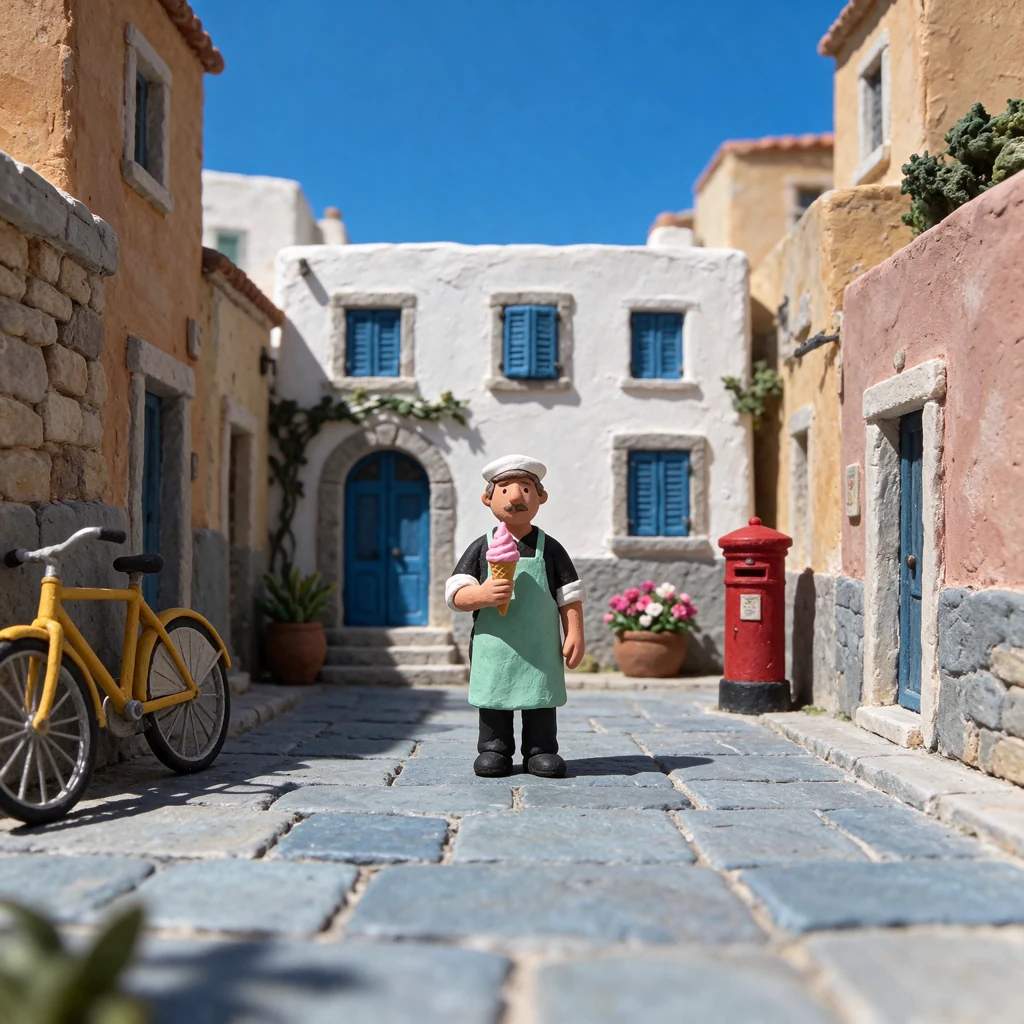
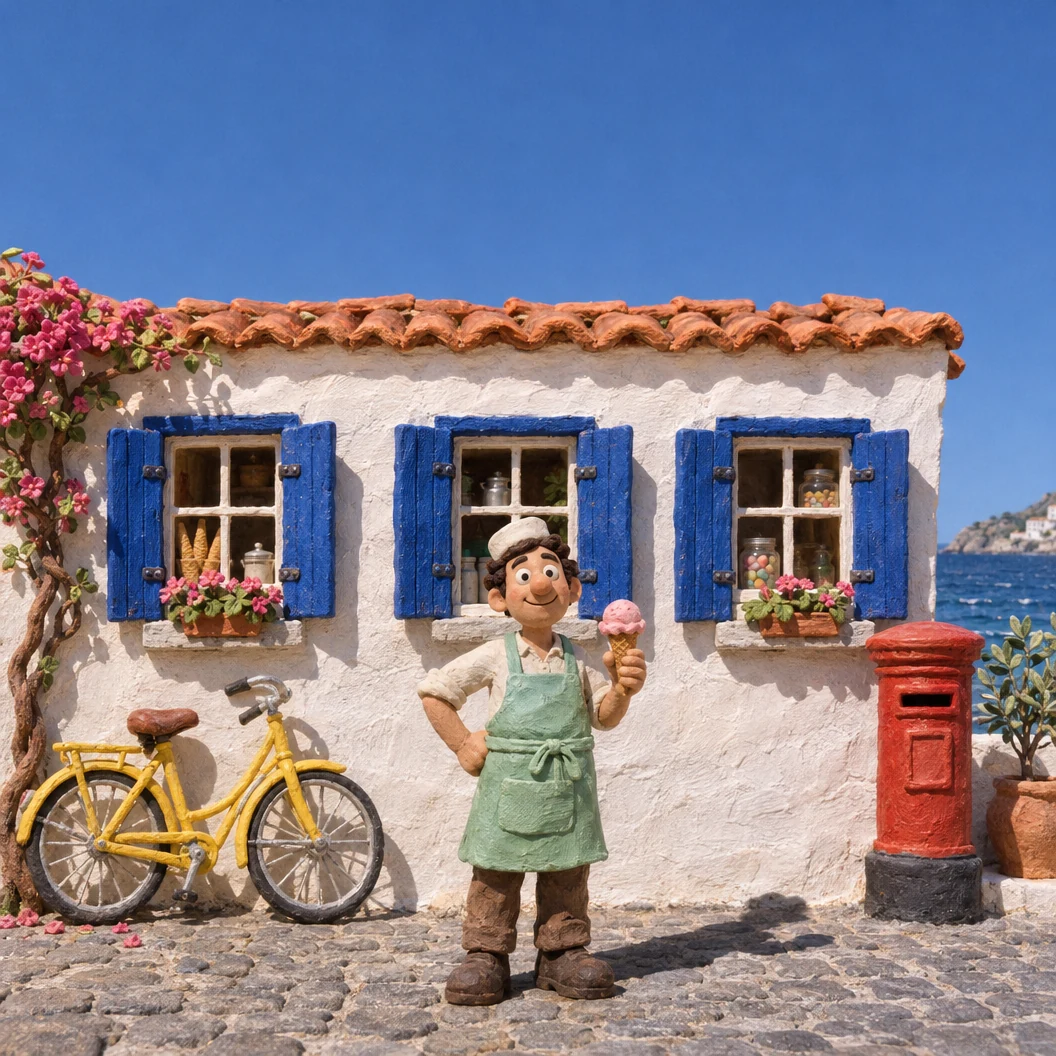
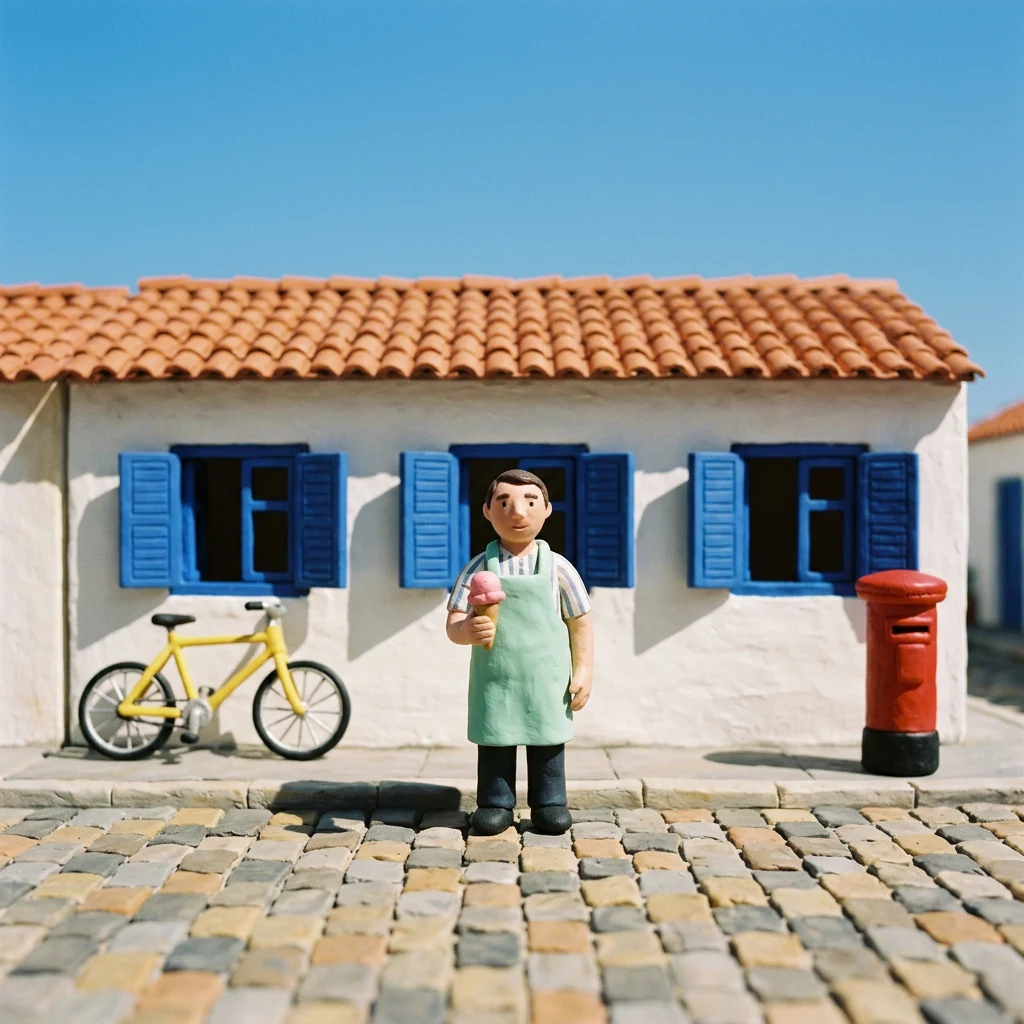
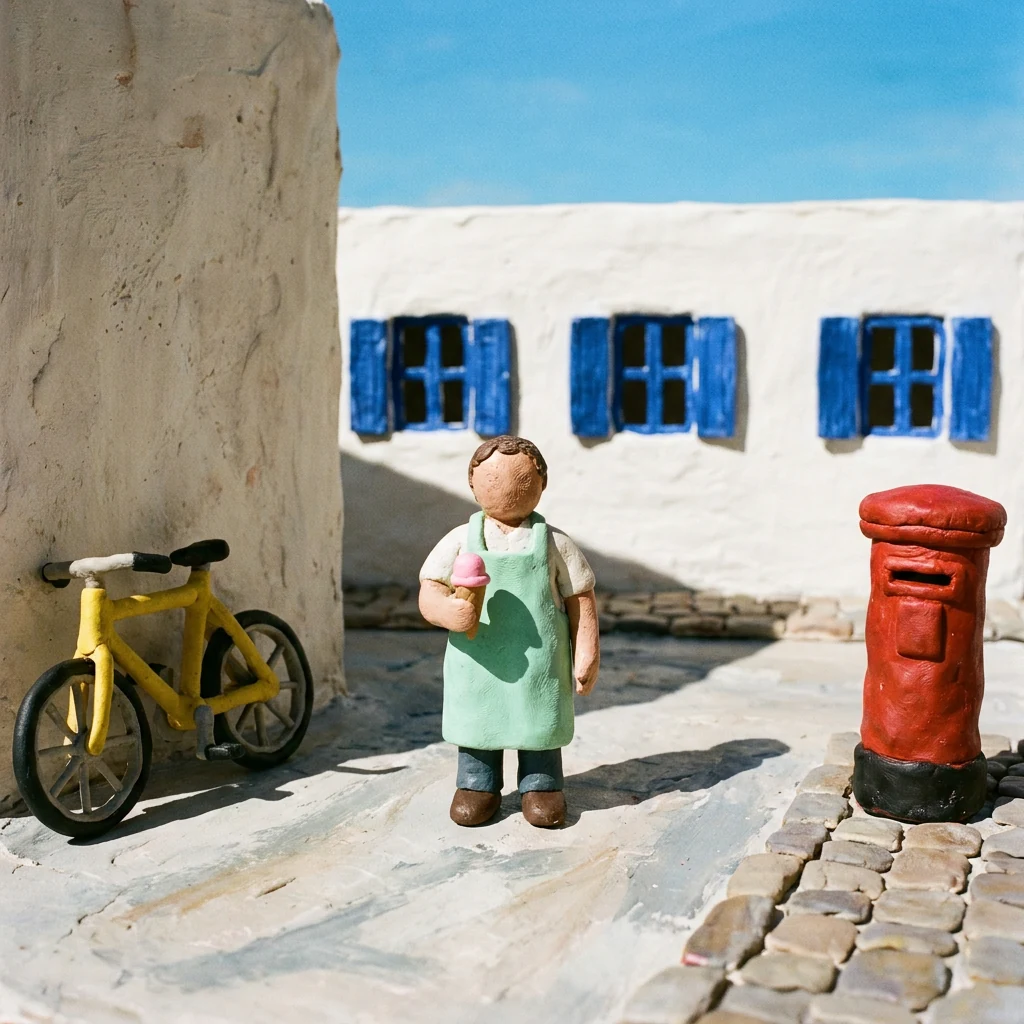
- Seedream 5.5: Seedream 5.5 keeps the seller in the center, the bicycle on the left and the post box on the right, but the white building behind shows four shuttered windows and a door rather than exactly three windows, and the sky is a narrow strip.
- GPT Image 2.6 Sunburst: GPT Image 2.6 Sunburst places the seller between the yellow bicycle and red post box in front of exactly three blue-shuttered windows, with bougainvillea, a glimpse of sea and blue sky above the roofline.
- Nano Banana 2.1: Nano Banana 2.1 shows exactly three shuttered windows behind the centered seller, keeps the bicycle left and post box right, and leaves the largest band of clear sky for a title.
- Nano Banana Pro: Nano Banana Pro keeps three shuttered windows, the left bicycle and the right post box, but the seller’s face has no modelled features and a tall wall fills the left third of the frame.
For more briefs after this controlled set, use the Seedream 5.5 prompt collection. Keep the original wording when comparing candidates, then revise the brief once you choose a model.
Which of the best AI image generators in 2026 fits your deliverable?
| Your deliverable | Start your shortlist with | What decides the choice |
|---|---|---|
| Realistic portrait or product still | Seedream 5.5, GPT Image 2.6, Nano Banana 2.1 | Visible anatomy, light and material detail in P1–P2 |
| Poster with exact copy | GPT Image 2.6 Sunburst, Nano Banana Pro, Ideogram | P3 spelling and hierarchy, plus the revision workflow |
| Art-directed illustration or concept | Midjourney | Style Reference controls and the fit to your art direction |
| Asset set driven by references | Nano Banana Pro, Leonardo.Ai | A follow-up test using your actual references |
| Image inside a social post or slide | Canva | Layout editing, existing templates and the included AI allowance |
| Vector logo or icon | Recraft | Editable paths, export format and the chosen plan’s rights |
| Images that lead into video | ChatCut with the four comparison models | Generate, select a frame, animate and finish on the timeline |
For realism specifically, shortlist a model using the photographic brief you actually need. Review skin and hands for people, or refraction and contact shadows for products. In P1, GPT shows the most visible freckles and backlit hair, Seedream 5.5 gives the softest and most even light, and Nano Banana Pro adds a film border nobody asked for. In P2, Seedream 5.5 and Nano Banana 2.1 keep clear space above the cap, while GPT fills almost the full frame height and Nano Banana Pro uses a higher viewpoint. These are differences in individual outputs, rather than an overall realism ranking.
Where to use Seedream 5.5 and continue into video
You can use Seedream 5.5 in ChatCut alongside GPT Image 2.6, Nano Banana 2.1 and Nano Banana Pro. ChatCut is available as a web editor, Desktop app and Agent Plugin. Its advantage for this workflow is access to several leading models in one editor, followed by direct use of the generated image in a video project.
- Generate the still. Name the image model, paste the chosen prompt and confirm the available settings and credit estimate. The image is saved in My Assets. For Seedream 5.5, pick the model in the menu and review the available size, ratio, background controls and credit estimate before submitting.
- Build the shot. Place the still on the timeline, or use it as a first frame with Kling 4.0 or Seedance 2.5. Describe the camera movement and subject action. Our image-to-video guide and image-to-video prompts cover that next brief.
- Finish the video. Arrange the shots, add captions, voiceover and music, and export the project. The AI video prompt collection provides more motion briefs.
For costs and trial access, continue with Seedream free access. A native transparent-image capability and a host’s exposed background control should each be checked in the selected workflow. The comparison here uses complete-background scenes throughout.